About entry method
Post your clear time on X (formerly Twitter) in the format below and it is added to the FFRK FanTool rankings. This page explains how to post, the features that make posting easier, and how to find your entries.
Getting Started
There are three steps. You do not need to register; just post on X in the entry format.
How to Post an Entry
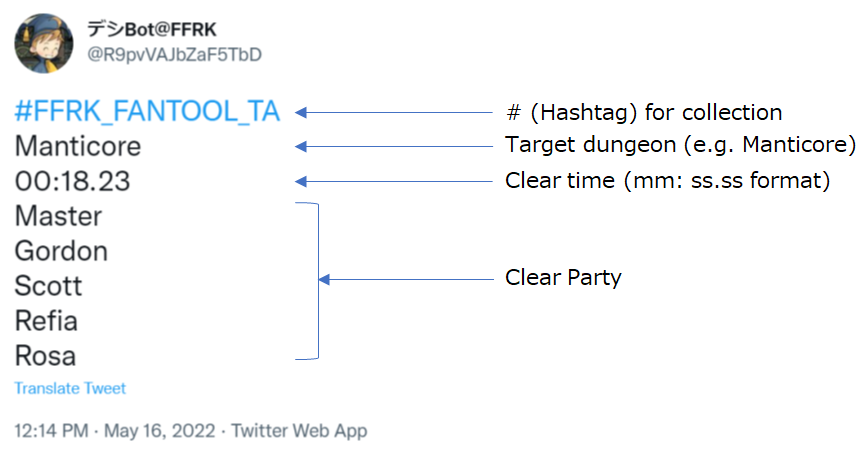
Tweet format
By posting in the following format, it will be counted.
- For the dungeon name, refer to each page name or use the template described below.
- Please note that if there are any deficiencies, they will not be counted.
- Posts with key marks are not included in the API.
- Line 1: Hashtag
- The hashtag used to collect entries.
- Line 2: Dungeon name
- The dungeon you cleared. Use the name shown on each page, or the template.
- Line 3: Clear time
- In mm:ss.ss format (for example 00:32.05).
- Lines 4–8: Party
- One character per line.
- Optional: YouTube / FanTool link
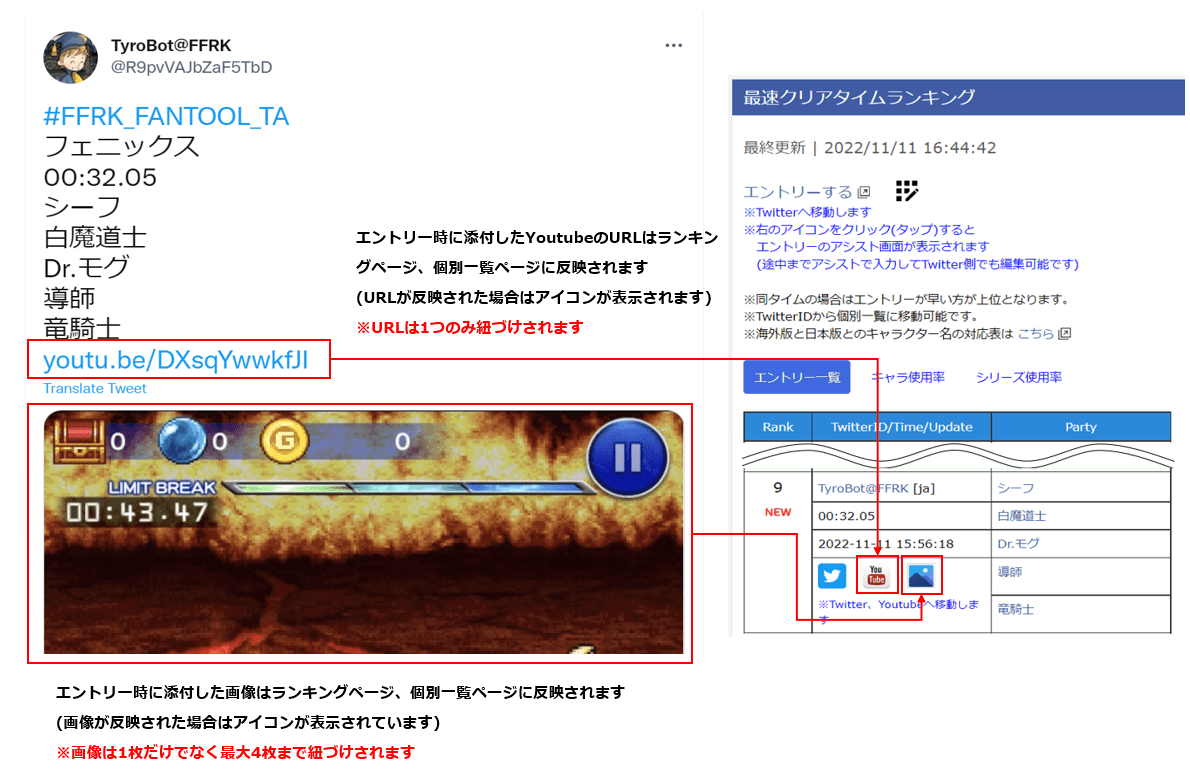
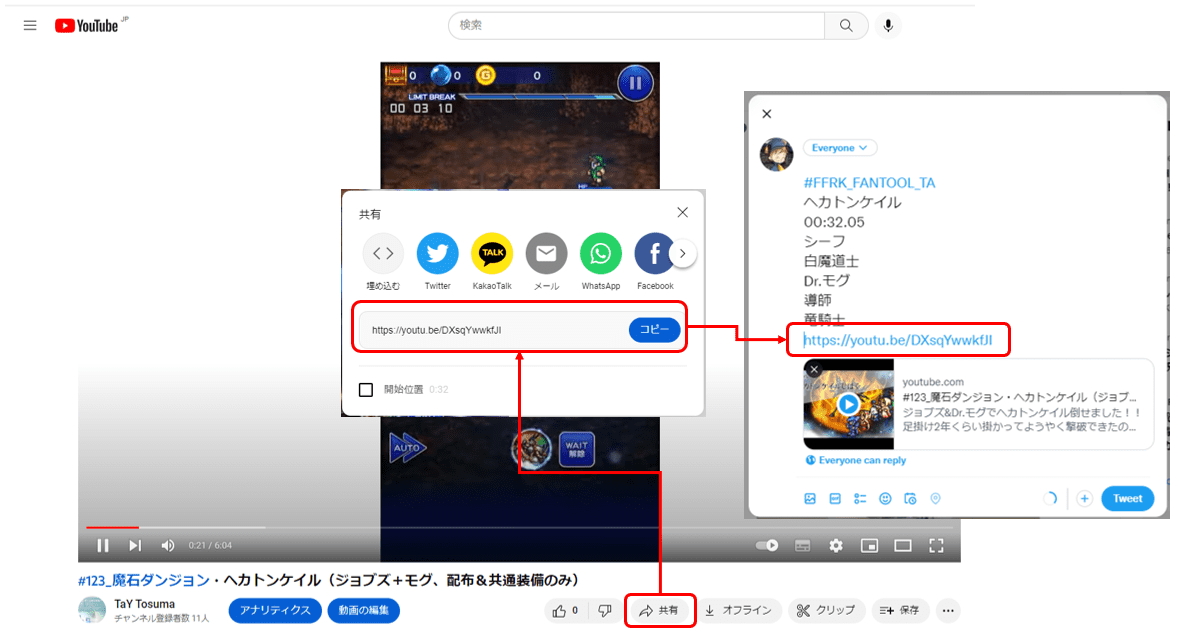
- You can add a YouTube share link to link a video to the entry, and the FanTool share link.
See “Examples of Invalid Entries” for posts that are not counted.
About reply
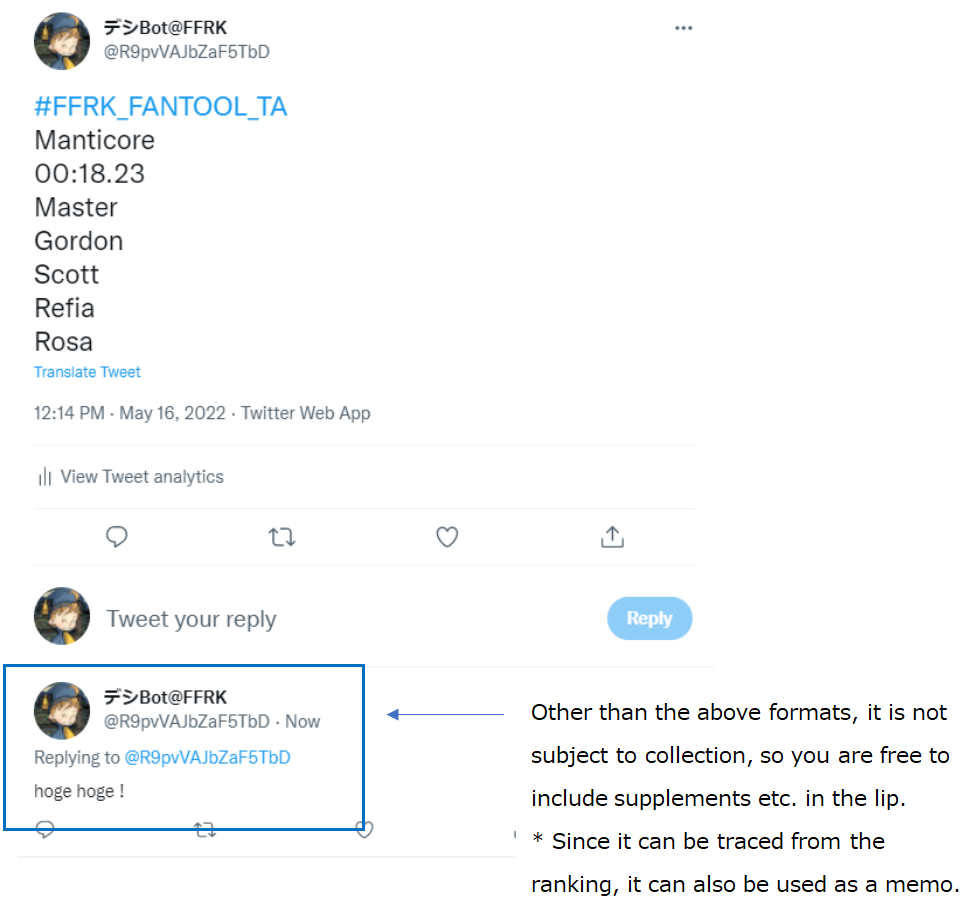
Whether or not there is a reply is not related to the aggregation, so you can use it as a memo.
It is also possible to make the entry itself a rip column.
Features That Make Posting Easier
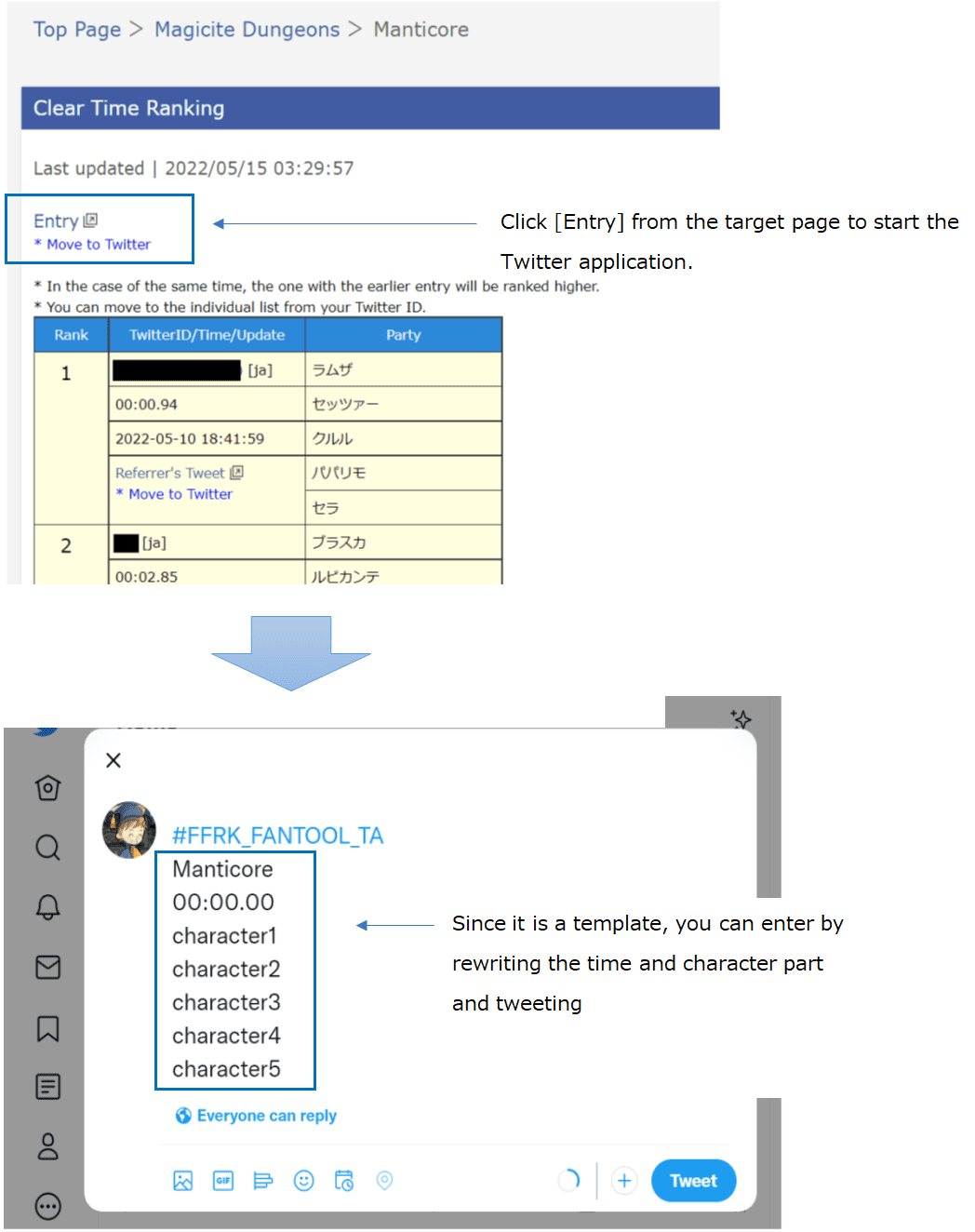
Use the template
You can start X(former Twitter) from each screen and enter using the template.
Entry Assistance
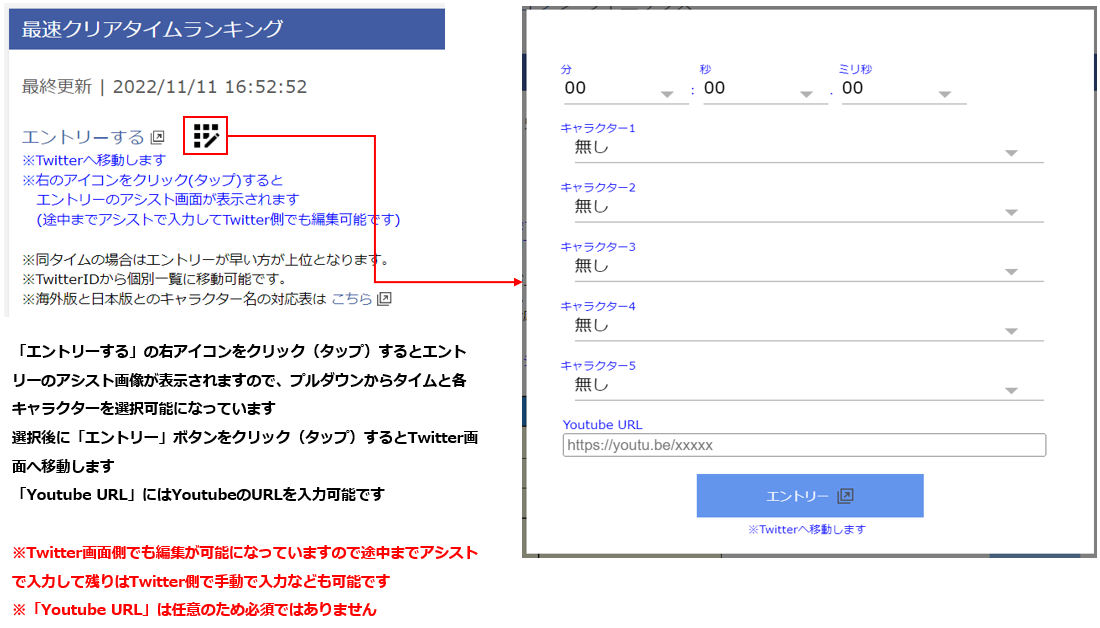
Use the entry assistance feature to submit an entry without typing the details manually.
- On a ranking page, tap the icon to the right of “Entry”. The entry assistant opens.
- Choose the clear time and each character from the drop-down lists. You can also enter a YouTube URL (optional).
- Press “Entry” to open the X post screen, then post. You can still edit the text on X, so you can fill in part of it with the assistant and type the rest yourself.
Images and Video Links for Entries
Attach images or YouTube video links to an entry post to display them on the relevant pages.
You can obtain a YouTube video link by following the steps below.
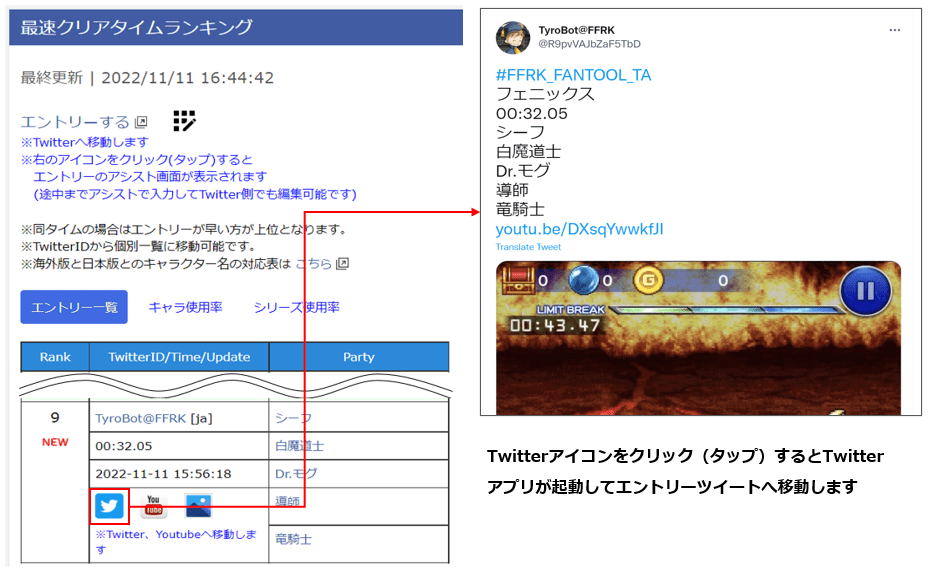
Viewing Entries on Ranking Pages
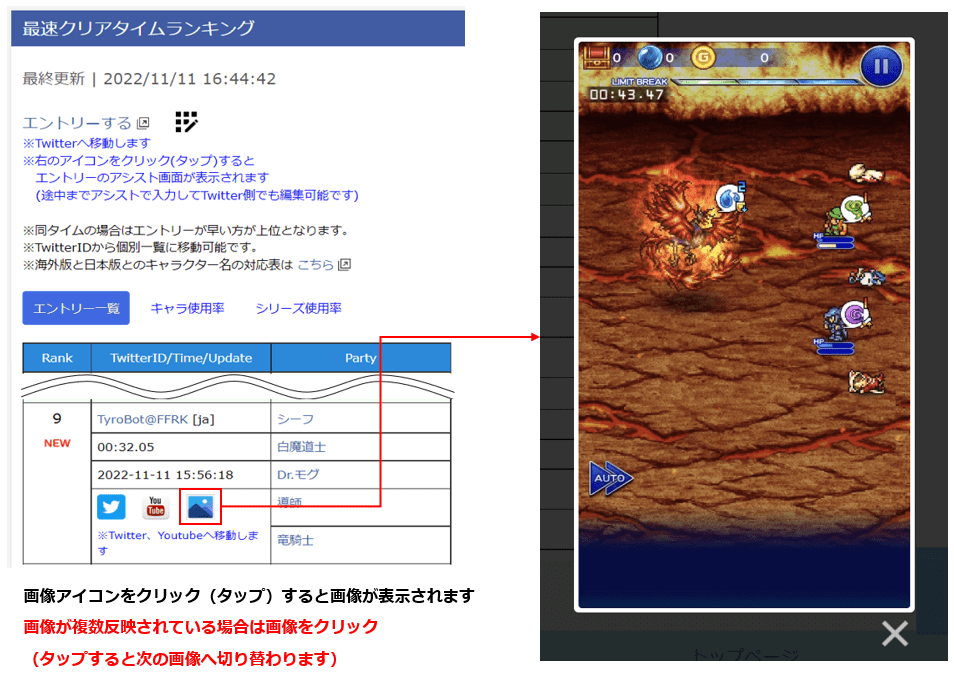
Viewing Entry Images
Images attached to entries can be viewed on each ranking page.
Images hosted by X are displayed indirectly.
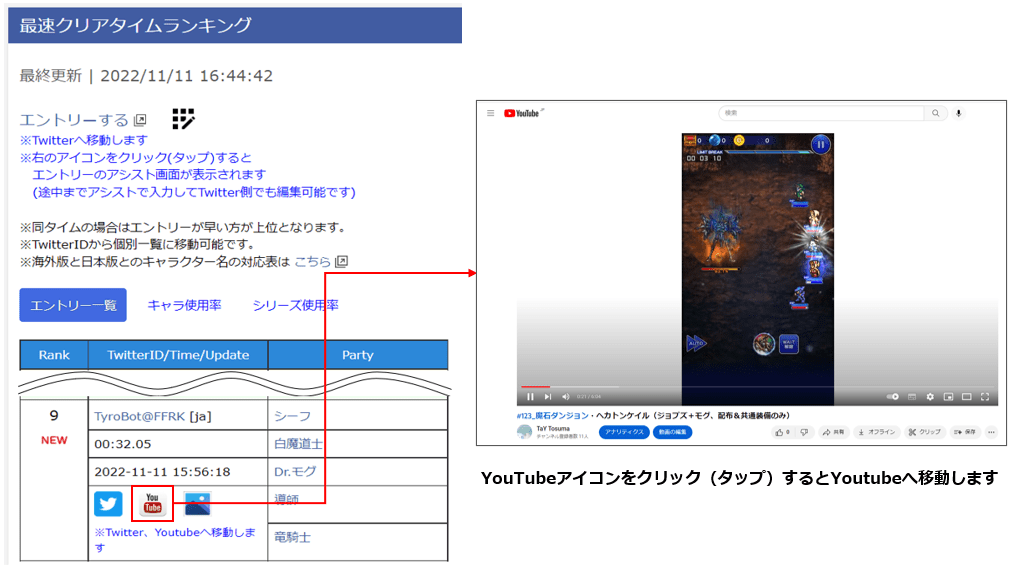
YouTube Integration
YouTube URLs attached to entries can be viewed on each ranking page.
X (formerly Twitter) Integration
You can open each entry post from its ranking page.
Individual Search
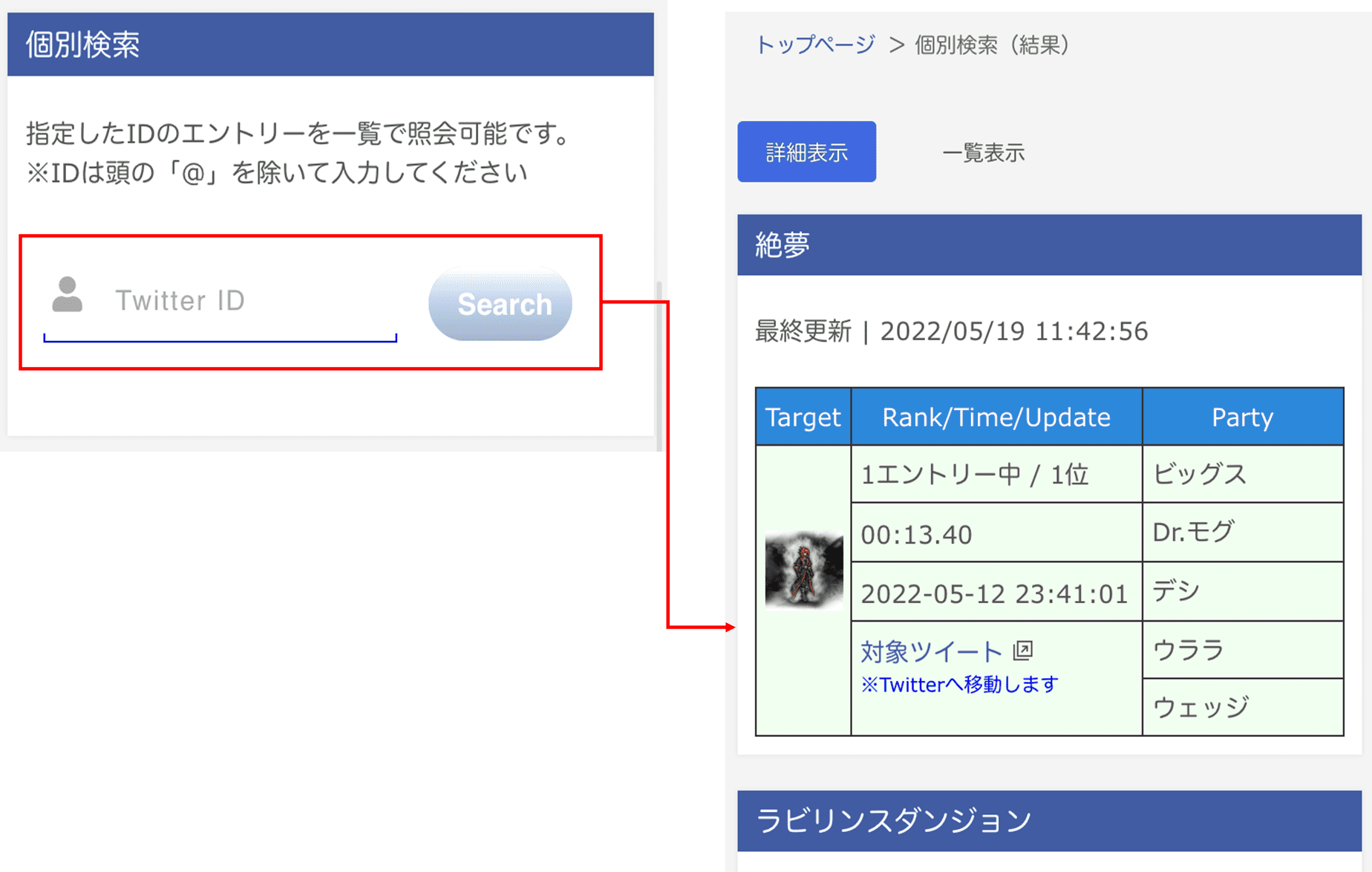
Searching from the Top Page
Use the individual search form on the top page to view entries for a specified X ID.
Enter the ID without the leading @ symbol.
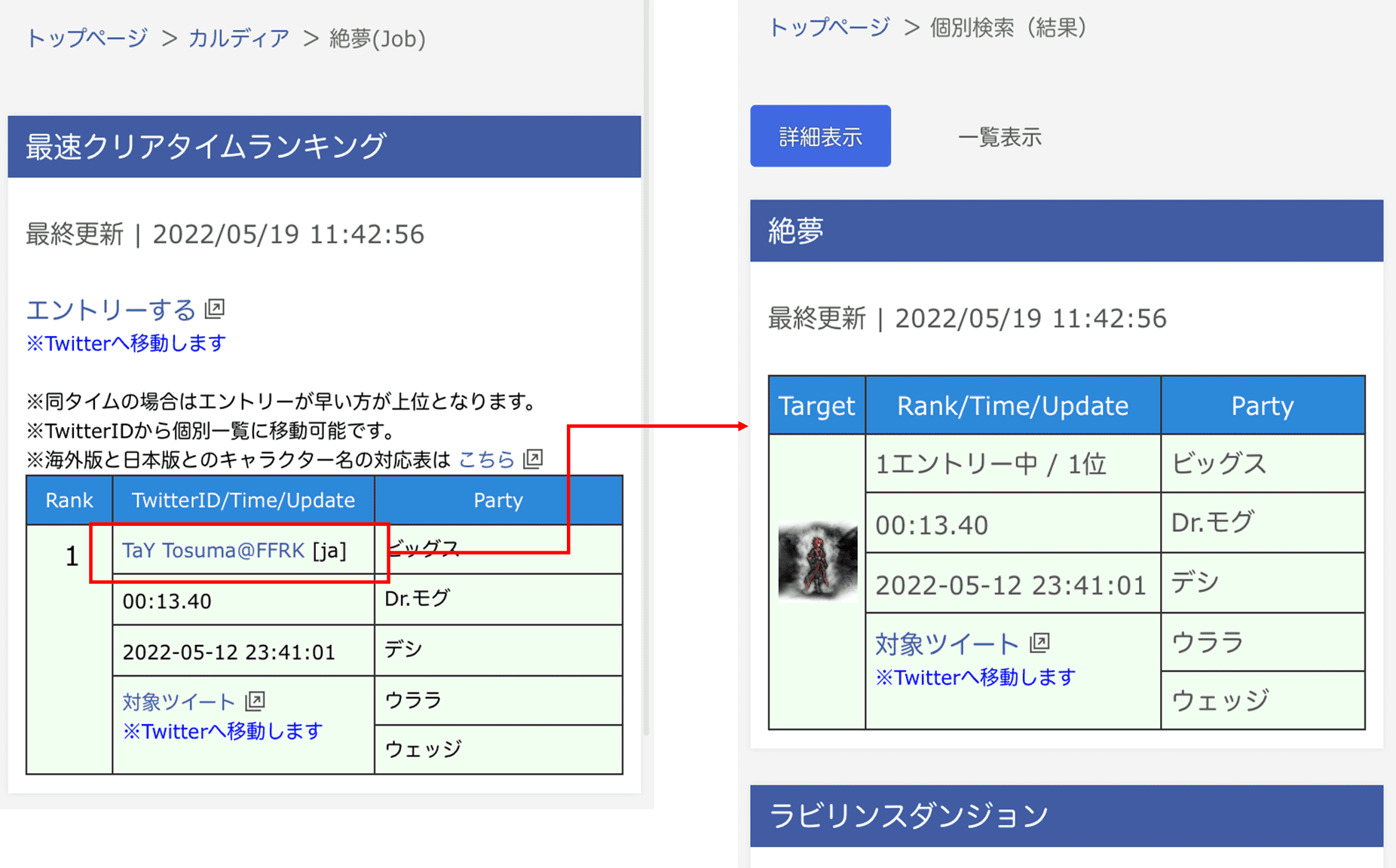
Searching from Ranking Pages
You can also select an X ID on a dungeon page to open the same entry list.
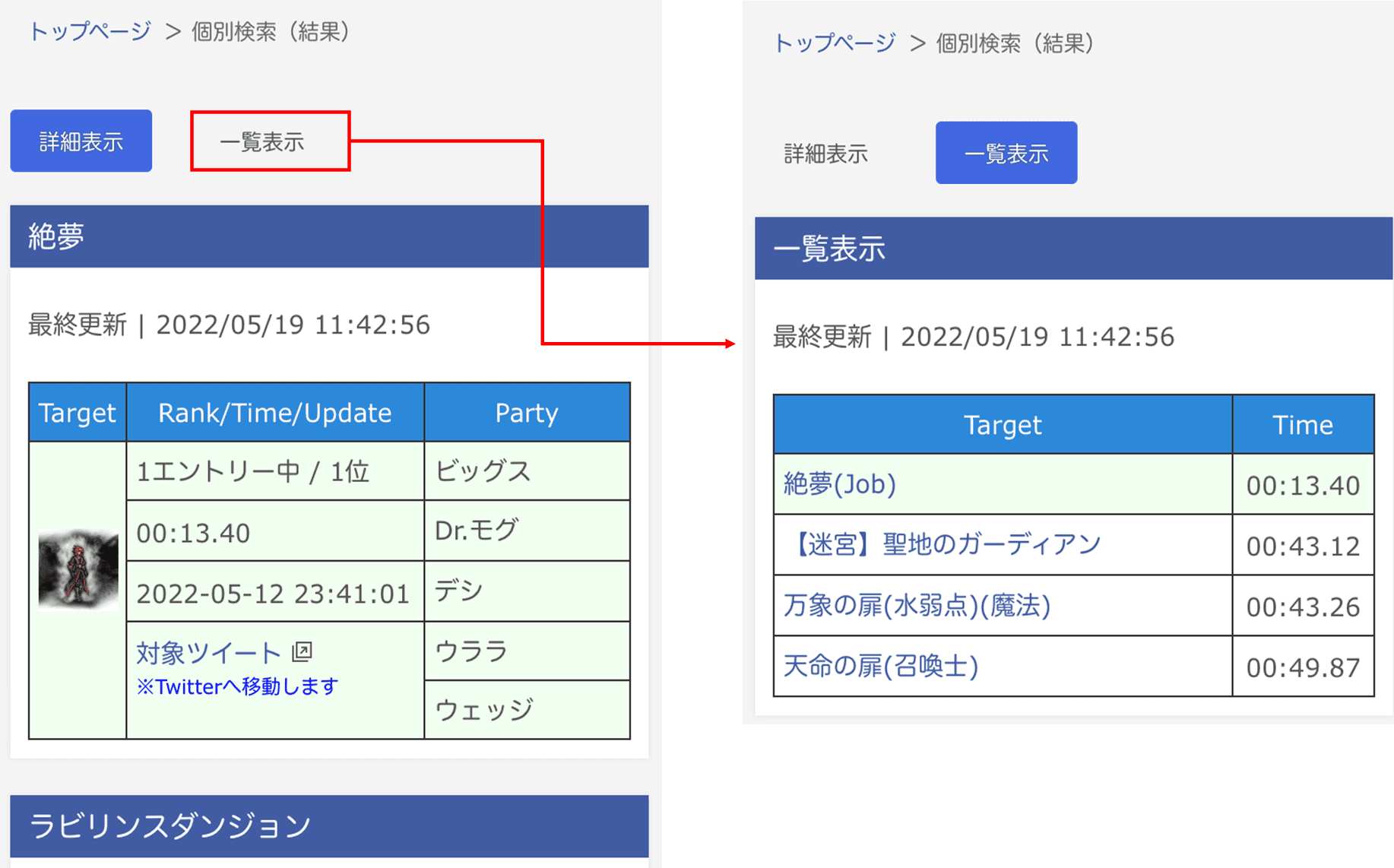
Switching the View of the Results
- Press List View at the top of the results page to switch to a simple list.
- Press Details to return to the detailed list.
Cancellation of entry
If you want to delete the entry, such as when the wrong time was posted, please delete the posted post and it will be deleted.
Please note that the existence of the link destination is checked regularly, so the post is deleted and it is not reflected immediately.
Troubleshooting
My entry is not counted
Check that the post follows the format in “Post format”. Posts with missing or extra lines, and posts from protected (locked) accounts, are not counted. Common cases are listed in “Examples of Invalid Entries”.
I posted the wrong time
Delete the post on X. The entry is removed at the next regular check, so it may take a while. Cancellation of entry
I want to see all of my entries
Use the individual search on the top page, or tap your X ID on a ranking page. Individual Search
I want to attach a video to my entry
Add the YouTube share link to the post, or enter it in “Youtube URL” in the entry assistant. Images and Video Links